
Zero Install
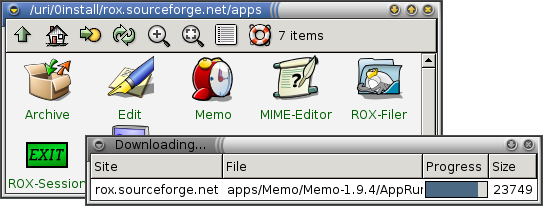
Zero Install is a means of distributing and packaging software. Rather than the normal method of downloading a software package, extracting it, and installing it before it can be run (with the accompanying use of destructive updates and privilege escalation), packages distributed using Zero Install need only run and usually comes in Application Directory format — presented to the user as a single file. The first time software is accessed, it is downloaded from the Internet and (if so configured) cached; subsequently, software is accessed from the cache. Programs are by the fully qualified name of their URI; ex. one would not run "vim textfile.txt", but "http://www.vim.org/vim textfile.txt".
The Zero Install system was originally a combination of two packages: A module for the Linux kernel providing the lazyfs filesystem, and a Zero Install daemon process, which fetches new software when needed. This system is now being replaced with a set of user-level tools written in Python, called the injector.
Advantages
Some advantages of Zero Install are:
- No root password needed to install software; packages are installed in system locations writable by that user. Thus, package installation affect only the user installing it, which makes it possible for all users to be able to install and run new software.
- Only what you need is downloaded. Rather than downloading all of a piece of software, only the required aspects of it are fetched. For instance, translations are not downloaded until they are accessed, so if the default language of a piece of software is only used, the translations will never be accessed and thus downloaded and installed.
- All software packaged this way is always available, as long as a network connection is. There is no concept of one computer having a program or library installed, while another one does not have it.
Disadvantages
Some disadvantages of Zero Install are:
- Because no root password is required, it may be harder to set up a restricted kiosk-type system using Zero Install.
- The system only works well with machines that are always online. Even if a program is mostly installed and usable, accessing the documentation or a new language while offline may fail.
See also
- ROX Desktop
External links
es:Zero Install